Web page builder
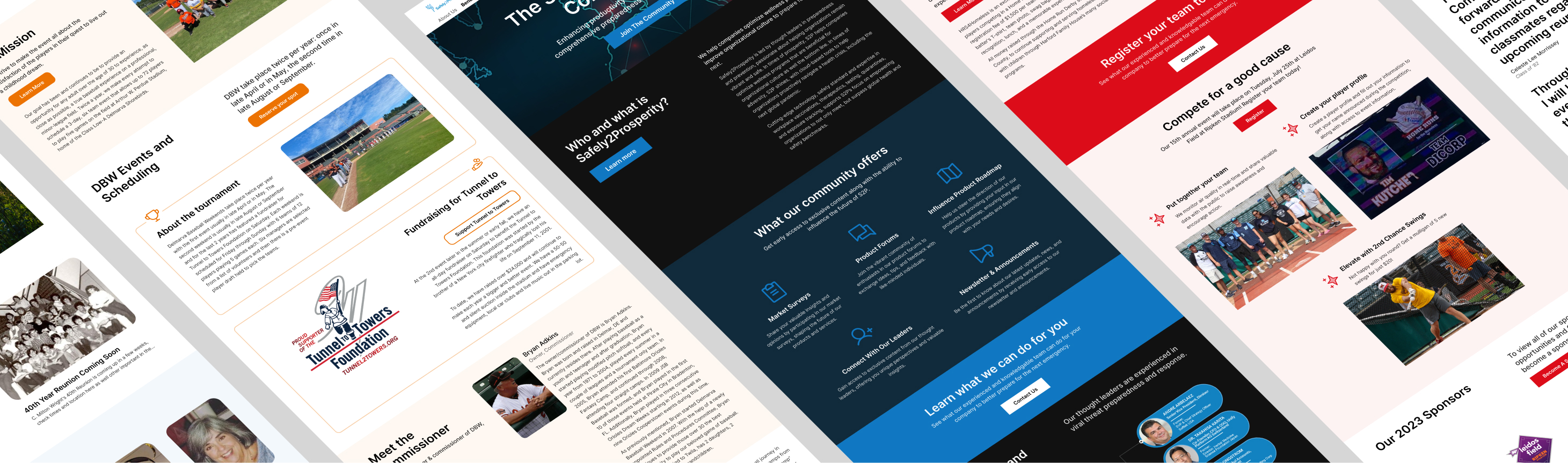
Between 2022-2023 while working in the philanthropic arm of DICORP, Inc., I develop a tool that could generate lightweight “landing pages” from a form alone by populating responsive Jinja2 templates with input data. This tool has been used to create hundreds of pages, including for non-profit organizations, special events, legacy and memorial pages, fundraisers, and more.
Context
Individuals and small organizations reliably excel in advocating for the causes they believe in, but there are real barriers to establishing and maintaining an online presence to expand that message, ranging from a lack of time or funds, to being intimidation by the technical requirements.
The question my company and I sought to address was how to simplify the process of establishing an online presence for mission-driven individuals and organizations to amplify their message by leveraging the strengths of my company’s data-collection and data-management infrastructure.
While the competitive market for web-page is dominated by WYSIWYG editors, for many small-organization use-cases these low or no-code softwares are overkill. By assessing the use-cases of webpages for mission-driven causes, I identified a core set of sections, content, metadata, and personalizations that my tool would need to support.
Design
My webpage builder centered around customizable HTML templates that dynamically adapt to, and rendered content provided from a form. A key design challenge was how to balance user flexibility, simplicity, and guidance.
In early iterations of the tool, I observed that users
- relied heavily on only a couple of component templates
- provided long, uninterrupted paragraphs for body text and subheadings
- set theme colors that created low-contrast WCAG accessibility issues
Providing the component parts for a website did not mean that effective content strategy and accessible design choices were innate. And without immediate feedback and live previews, users were not able to see how things would turn out before submission.
Iteration
Learning from these lessons, I evolved page components to adapt to a wider range of content (e.g., text length, image sizes/ratios) through variants and conditional formatting. I implemented logic that would adapt the provided theme color to ensure WCAG readability standards. I also offered guidance on content design with supplementary instructions and tips to the input form.
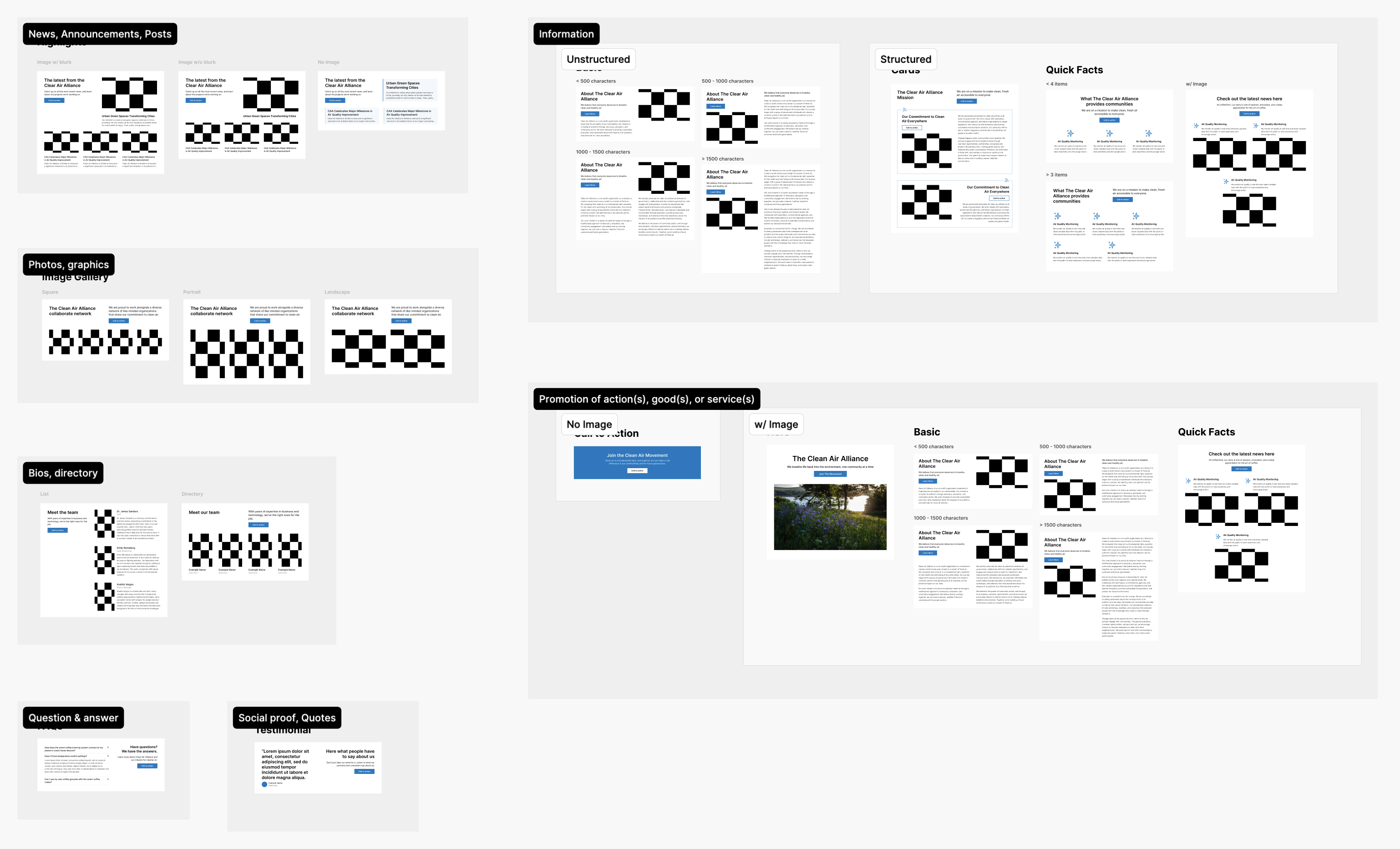
By this time, the tool was being used by interns within our non-profit. To support them, I expanded my Figma file for this project to go beyond documentation and become a playground to design/test content, layout, and design. And by listening to feedback from these interns, I expanded the set of page sections and components to better tailor to specific page content and narrative needs.
Reflections
Enough research can mitigate almost any problem—research is what steers development towards more effective endpoints, and can inform you whether the problem even needs solving. But research becomes more valuable the more specific it becomes. In retrospect, our tool would have benefitted from targeting more specific users, rather than trying to serve the needs of everyone.
That said, iteration and evolution is rarely linear. In staying nimble and open minded, we were able to meet opportunities as we found them, and still keep progressing forward even without a full map in front of us.